





Description
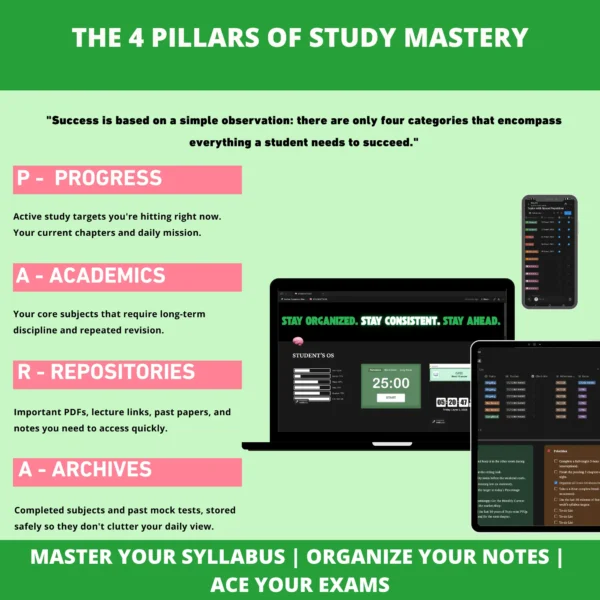
STAY ORGANIZED.
STAY CONSISTENT.
STAY AHEAD.
🧠 What is Student’s OS?
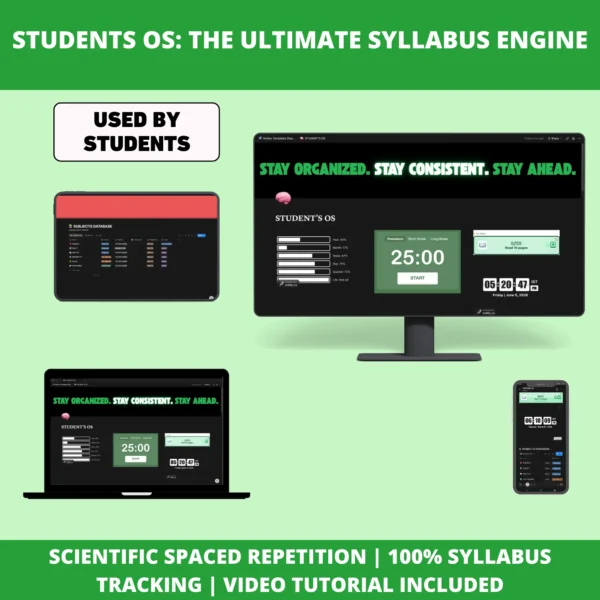
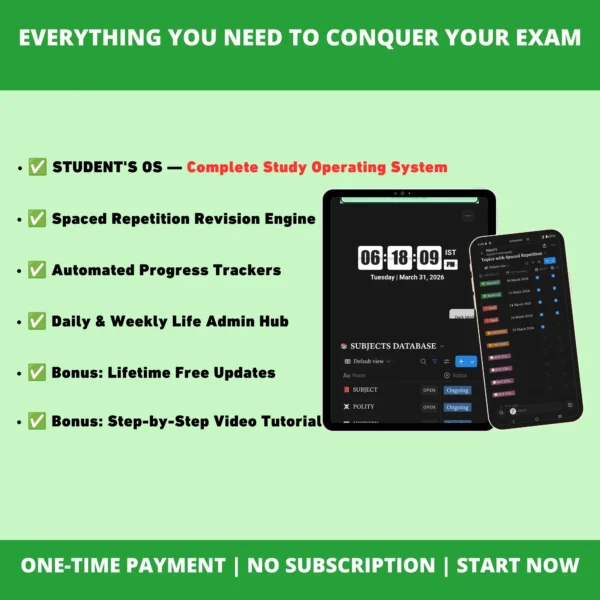
Student’s OS is your complete academic operating system — one connected workspace to plan your study time, track every subject, and revise on schedule instead of relying on memory and motivation.
Runs entirely online. No other software needed.
Built for every serious student
University
A-Levels / IB
College
Entrance Exams
Any Level
One system. Every student. Zero guesswork.
It replaces the chaos of scattered notes, forgotten revisions, and repeated mistakes with a single powerful study system that runs seamlessly across mobile, tablet, or laptop.
⚙️ Everything Inside Student’s OS
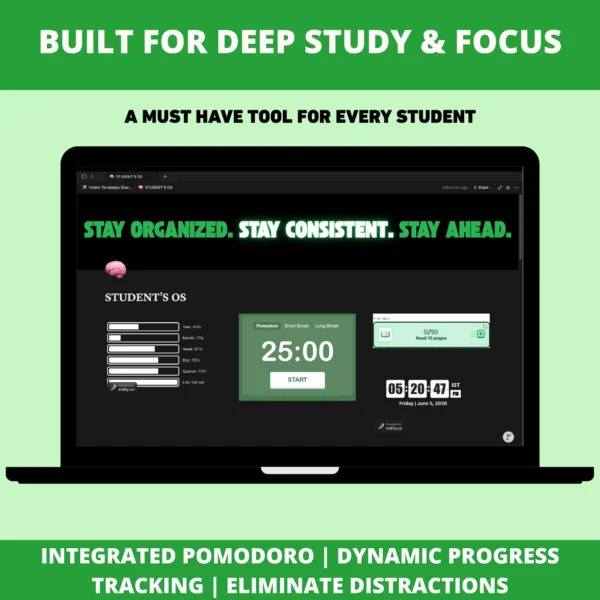
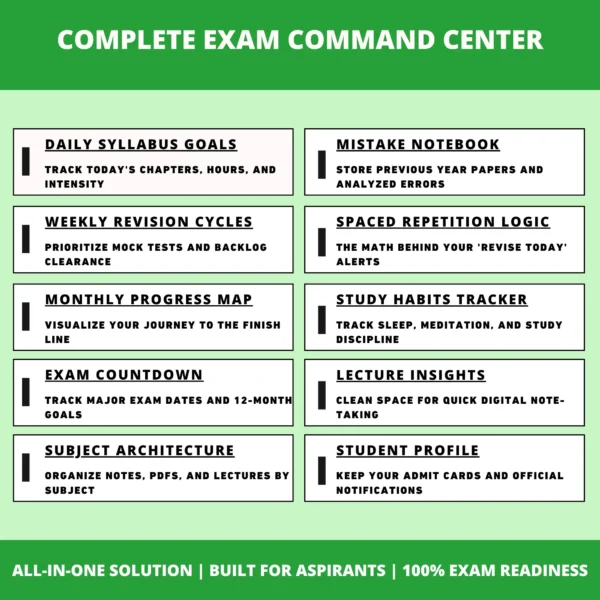
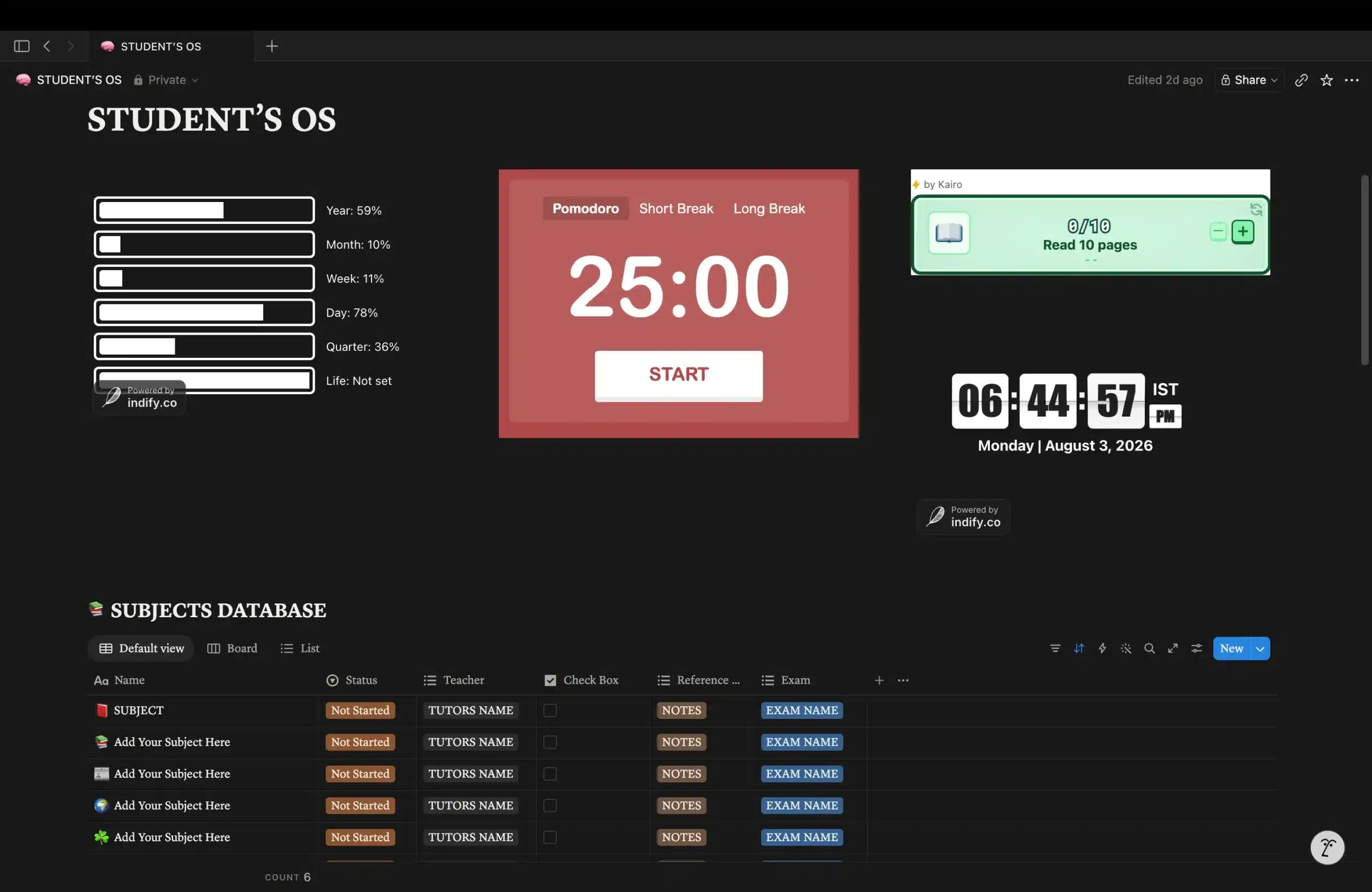
⏳ Life Progress Tracker
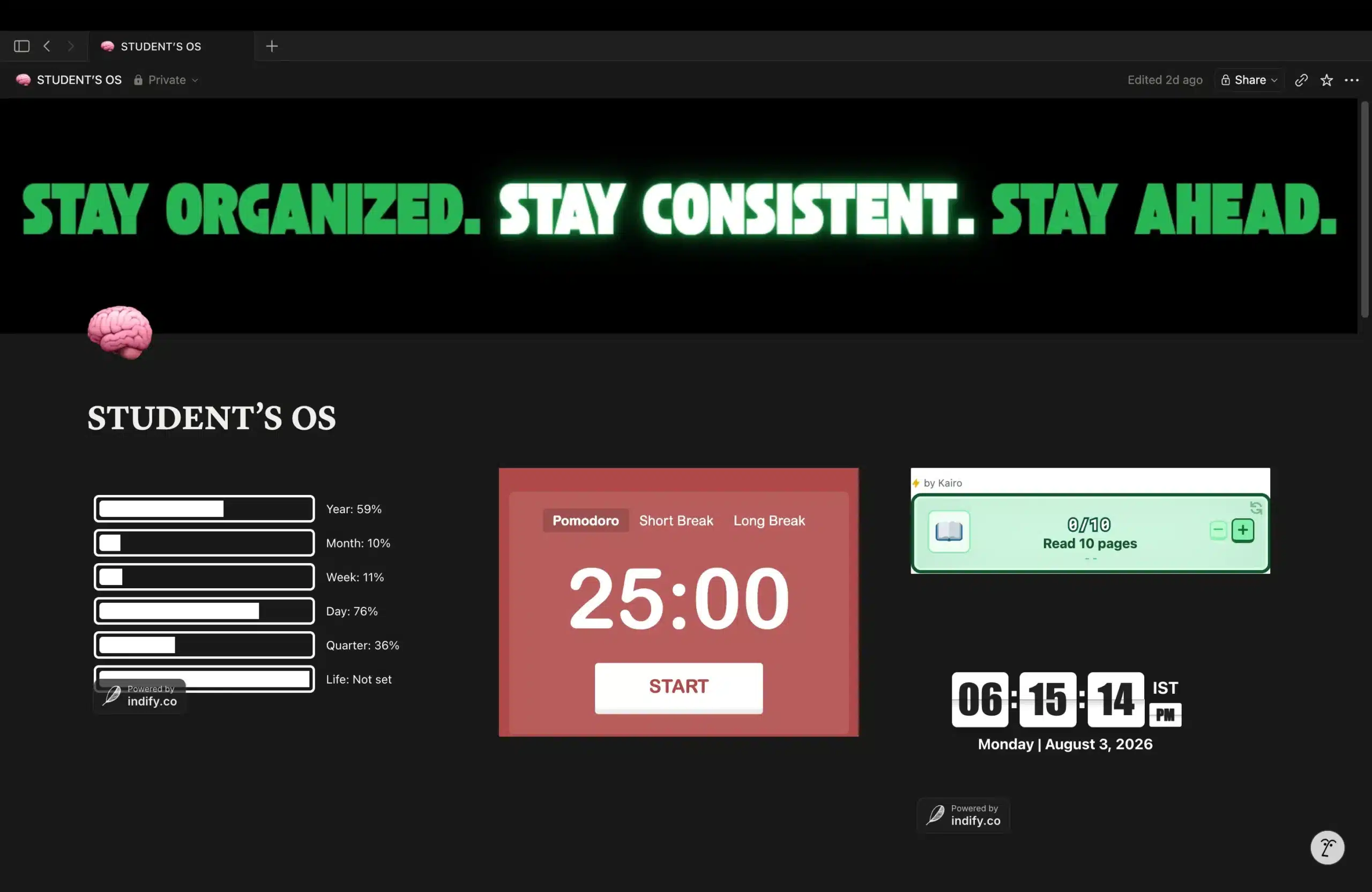
See exactly how much of your year, month, week, and day are already gone — so procrastination has nowhere to hide.
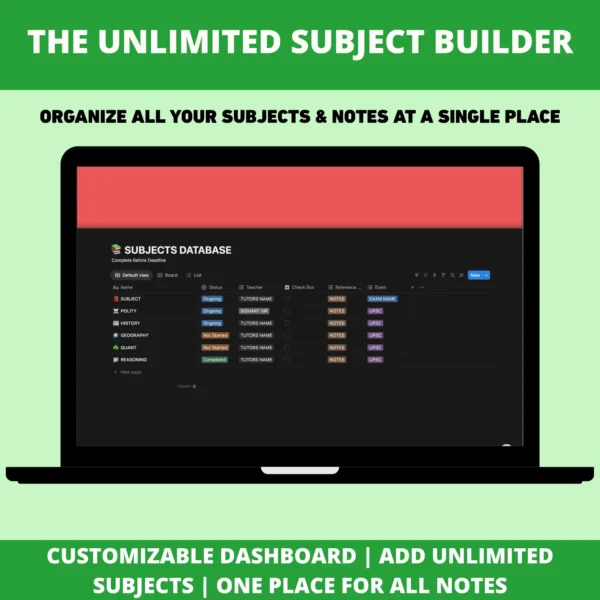
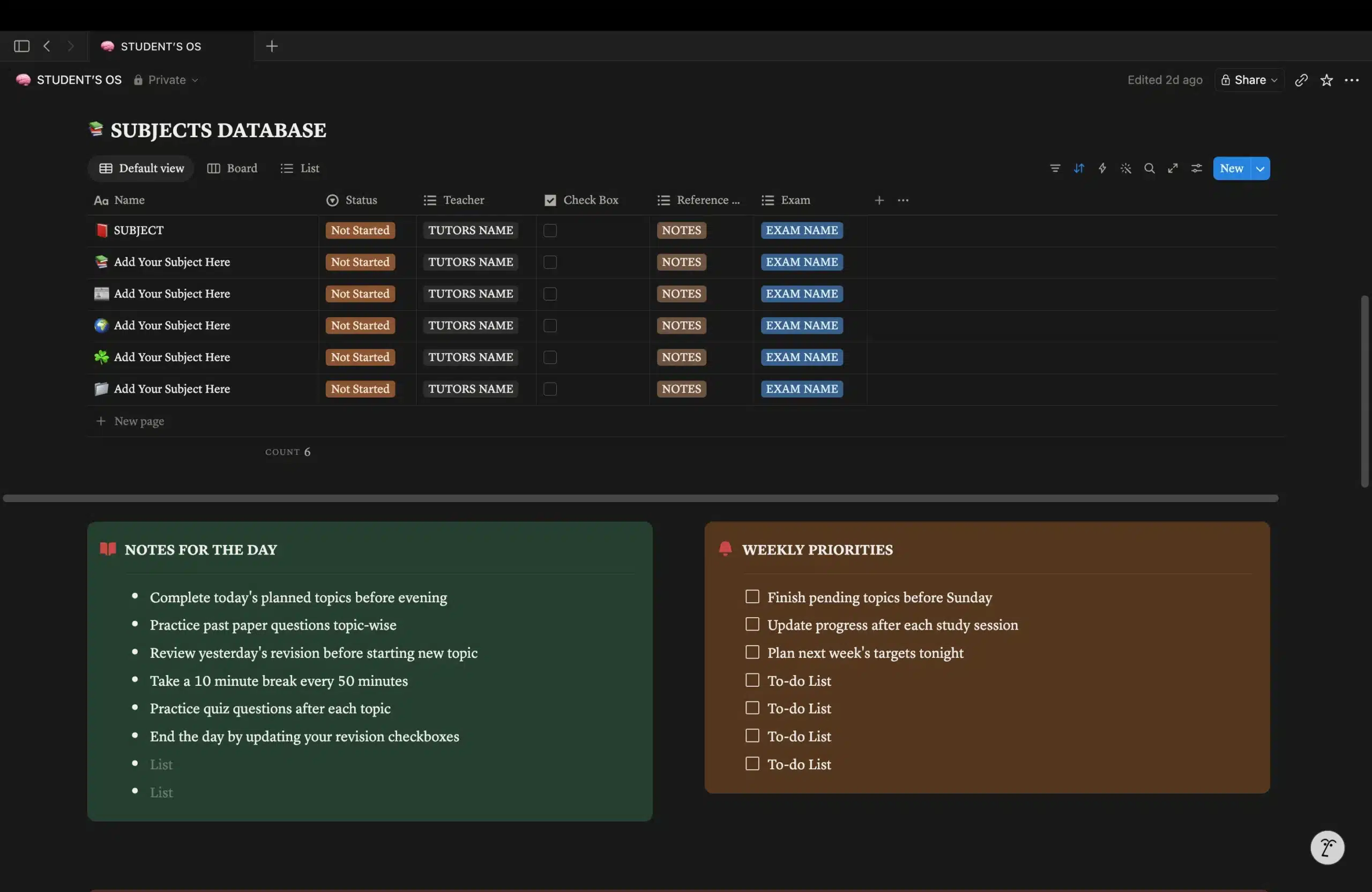
📚 Subjects Database
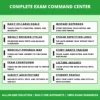
Every subject in one command center — status, teacher, reference notes, and linked exam. Nothing gets studied in isolation.
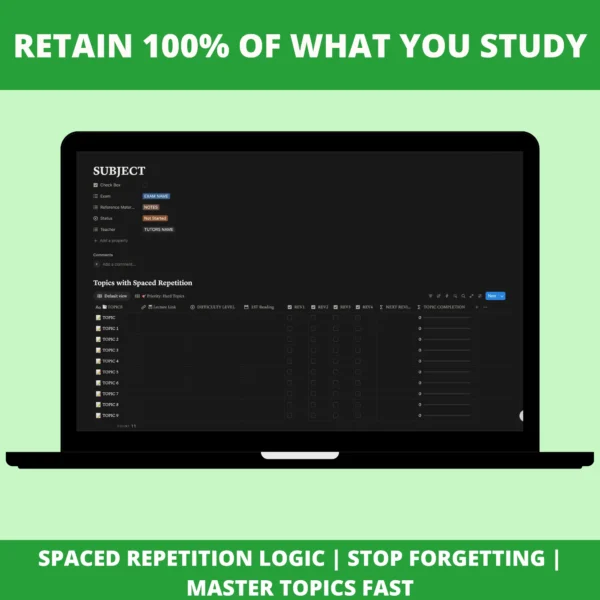
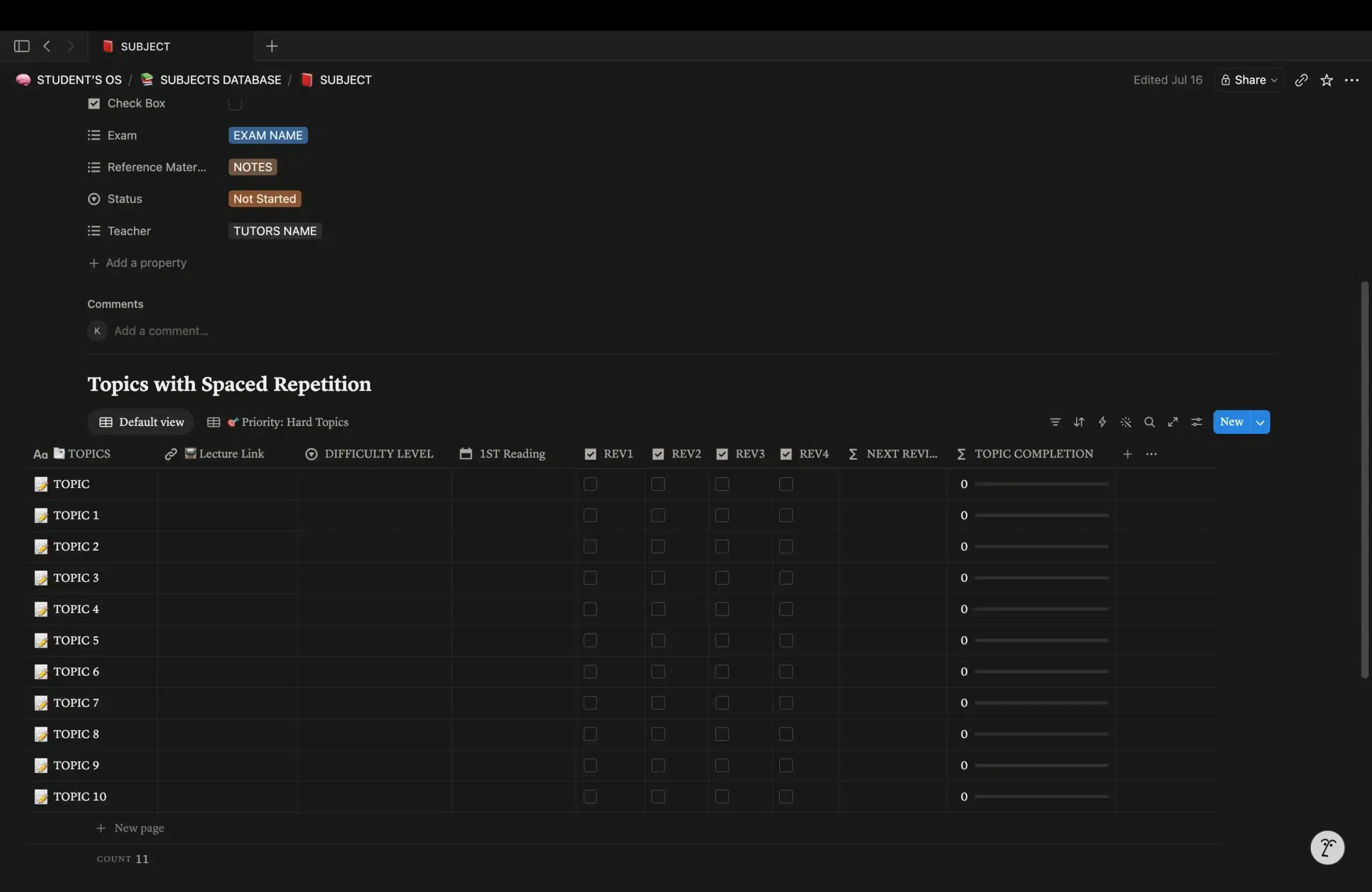
🔄 Topic-Level Spaced Repetition
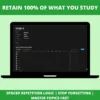
Each topic tracked through 4 repetition rounds (REV1–REV4) with automatic next-review dates and completion %.
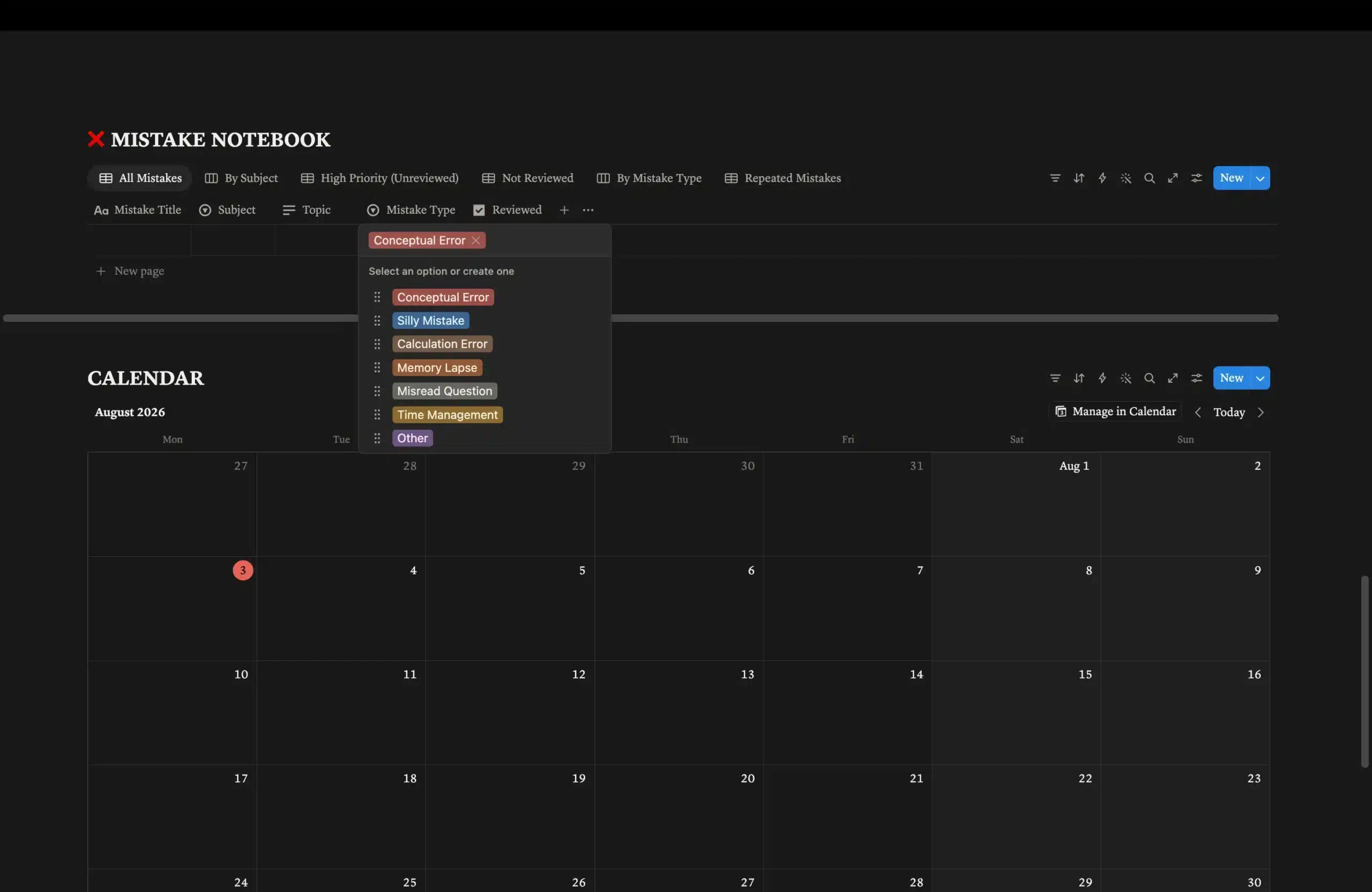
❌ Mistake Notebook
Log mistakes by subject, topic, and type. Flag the ones you keep repeating so the same error never costs you marks twice.
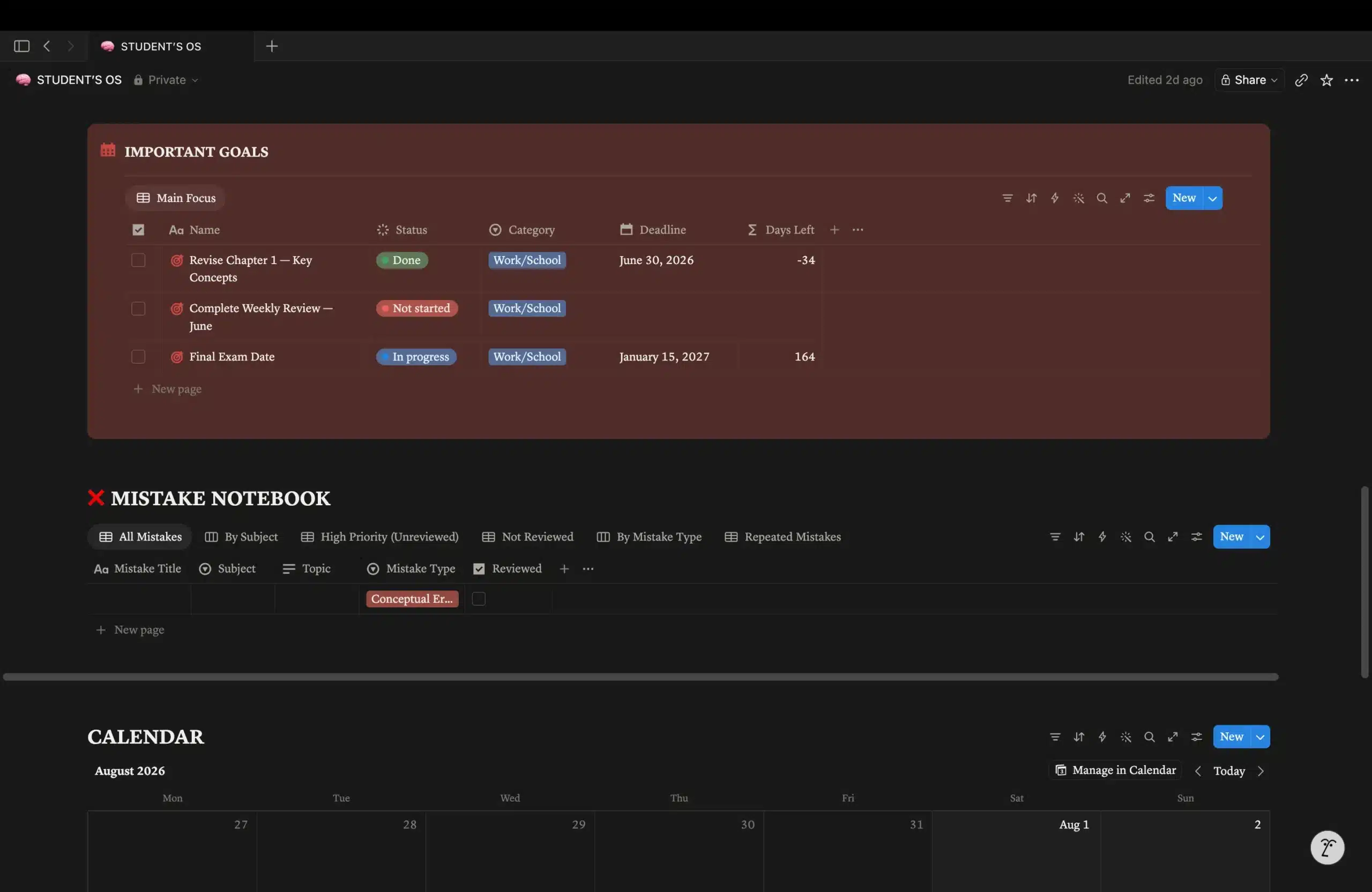
🎯 Goals & Deadlines
Set key targets with an automatic days-left countdown that keeps pressure honest and visible.
⏱️ Deep Work Timer
Built-in Pomodoro-style focus timer right inside your workspace. Start a focused session without opening another app.
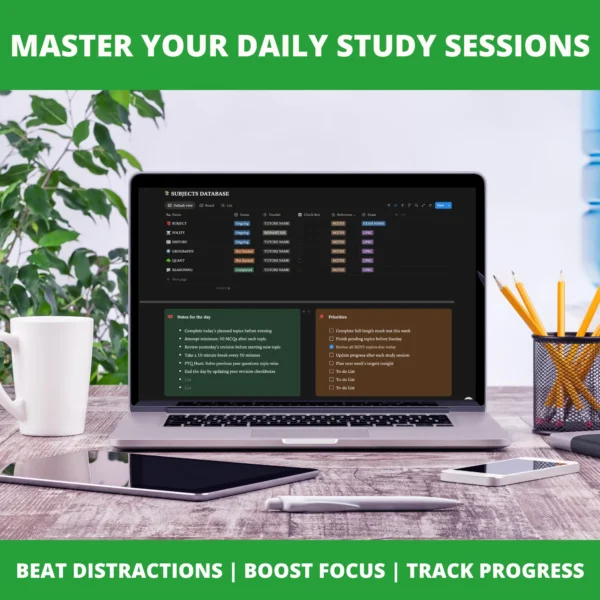
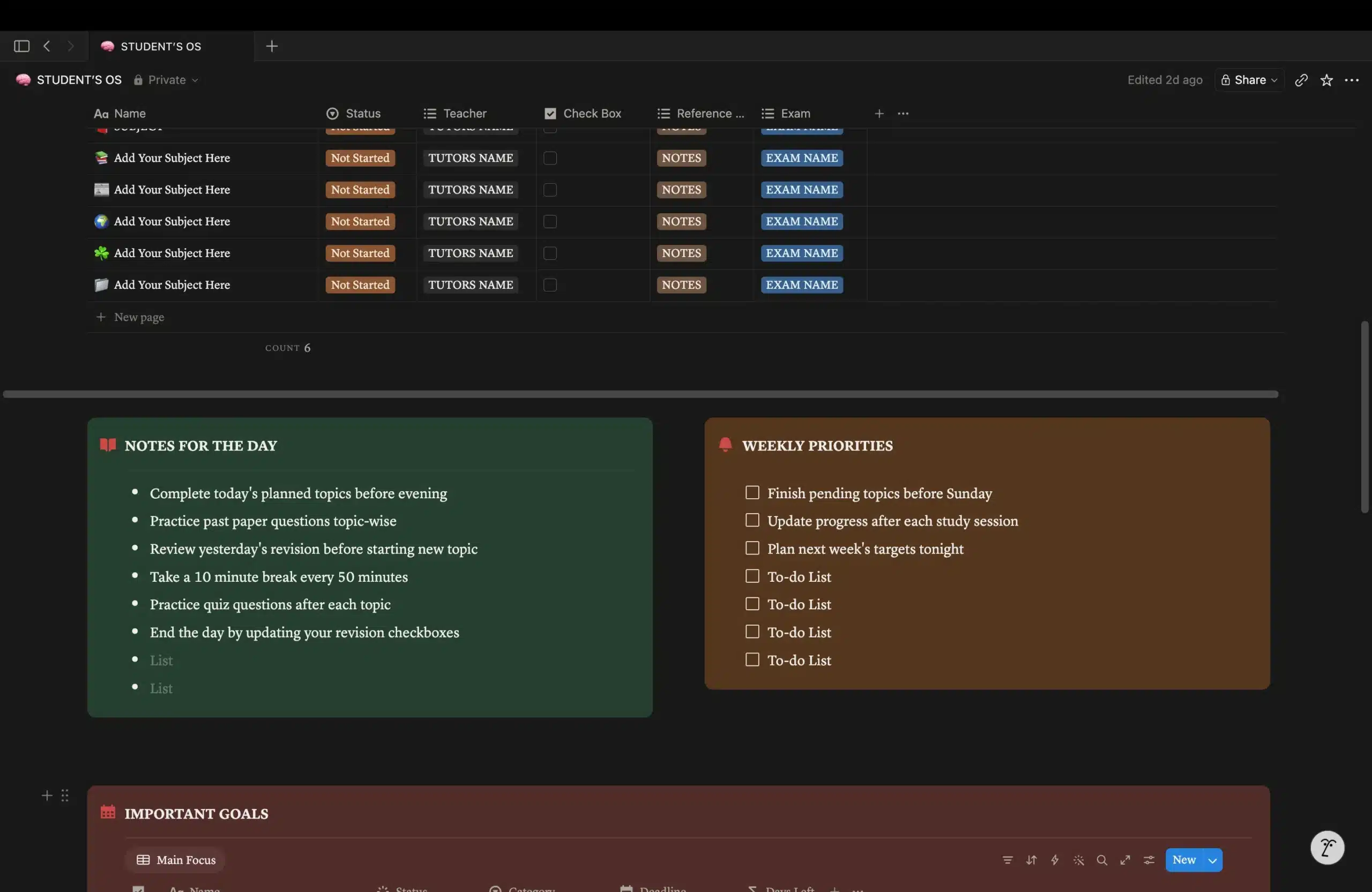
📅 Daily Notes & Weekly Priorities
Start every day with a clear checklist, close the week by reviewing priorities, and see everything on a built-in calendar.
The Problem Most Students Face
Most students aren’t falling behind because they lack effort. They’re falling behind because their studying was never organized into a repeatable system.
- ❌ Notes scattered across apps
- ❌ Revision forgotten within a week
- ❌ Same mistakes made twice
- ❌ No clear picture of time left
Two students. Same hours. Different results.
The difference isn’t intelligence — it’s structure.
One of them has a system. The other doesn’t.
✨ Why Students Love Student OS
🗓️ Always Know What to Study
Never waste time wondering what to study next. Your daily study plan is always ready.
📈 Track Your Entire Progress
Know exactly how much of your syllabus you’ve completed and what’s left.
🧠 Revise Smarter, Remember Longer
Stay consistent with a built-in revision system designed to help you retain what you study.
📚 Everything in One Place
Notes, tasks, syllabus, revision, and progress — all organized in one workspace.
⚡ START STUDYING WITH A SYSTEM
No complicated setup. Everything is ready to go. Just follow the included tutorials and start organizing your studies in minutes.
❓ Frequently Asked Questions
1. What exactly is Student OS?
Student OS is a complete study management system that helps you organize your notes, plan your study sessions, track your progress, and manage your revisions — all in one place.
2. Who is Student OS for?
Student OS is designed for school students, college students, university students, and anyone preparing for competitive exams or professional certifications.
3. Can I use Student OS for my own subjects?
Yes. Student OS is fully customizable. You can add your own subjects, topics, schedules, and study plans to match your goals.
4. Is Student OS suitable for beginners?
Absolutely. Whether you’re just starting your studies or preparing for an important exam, Student OS is designed to help you build an organized and effective study routine from day one.
5. Will Student OS improve my grades?
Student OS helps you stay organized, study consistently, and revise more effectively. Your results will always depend on your effort, discipline, and study habits.
6. Can I use Student OS for years?
Yes. Student OS grows with you. Simply update your subjects, goals, and study plans as your academic journey changes, and continue using the same system year after year.
7. Is this a one-time payment?
Yes. Pay once and use Student OS forever. No subscriptions, no monthly fees, and no hidden charges.
8. How will I receive access after purchase?
You’ll receive instant access via email immediately after your payment is confirmed.
9. Can I start using Student OS immediately?
Yes. As soon as your payment is confirmed, you’ll receive instant access via email. Simply follow the included step-by-step tutorials, and you’ll be ready to start studying in minutes.
10. Do I need any technical knowledge?
No. Step-by-step video tutorials are included, making setup simple and beginner-friendly.
11. Does Student OS work on mobile and desktop?
Yes. Student OS works seamlessly across desktop, laptop, tablet, and mobile devices, so you can study anytime, anywhere.
12. Will I receive future updates?
Yes. All future improvements and updates to Student OS are included at no additional cost.
13. What if I need help?
If you have any questions or need assistance, simply contact our support team at support@digiprolib.com. We’ll be happy to help you.
14. Why was Student OS created?
Most students don’t struggle because they aren’t capable — they struggle because their notes, tasks, syllabus, and revision are scattered across different places. Student OS was created to bring everything together into one organized study system, helping students study with clarity, consistency, and confidence.
Stop Preparing with Guesswork
Start preparing with a system.
Launch Price $18
Secure Payments via PayPal • Instant Email Delivery
This actually got me organized for the first time
I don’t really use the habit tracker, but the subject tracker alone was worth it
The spaced repetition part is genius, I didn’t even know this was a thing
Clean, doesn’t feel cluttered like other templates I’ve bought